

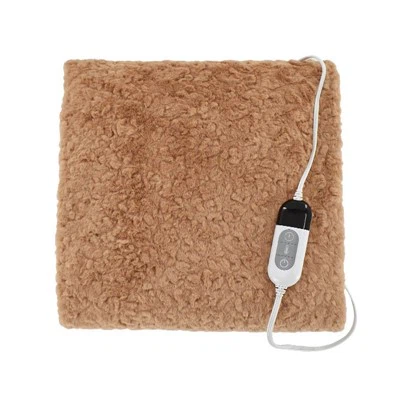
Which Desk Foot Warmer Suits Workspaces?
Your facilities manager just sent the email. No more space heaters-fire code, energy consumption, insurance liability. But your feet are still freezing at 3 PM when the HVAC system decides your corner of the building doesn't need heat.
Office foot warmer sales spike 25% every winter, yet most buyers never consider whether their choice will survive their first week at work. The $40 USB-powered pouch might be perfect for home but gets you a meeting with HR when it trips the circuit breaker in a 1980s office building. The heavy-duty heated mat works brilliantly-until your rolling chair sends it skating across polished concrete every fifteen minutes.
The real question isn't which foot warmer is "best." It's which one won't get confiscated, won't bankrupt your electric bill, and actually stays put on your specific floor type while keeping your toes above frostbite temperature.
Why Standard Product Lists Miss the Point
Every foot warmer roundup follows the same script: Feature comparison charts. Vague "pros and cons." Maybe a mention of wattage if you're lucky. Then they send you to Amazon and call it advice.
Here's what those lists won't tell you: Many institutions classify heated footrests under 200W as exempt from space heater bans-meaning your supposedly "banned" warming solution might be perfectly acceptable if you'd picked the 120W model instead of the 250W version. The difference in your feet's temperature? Negligible. The difference in whether you can use it at work? Everything.
Or consider floor surfaces. Rubber-backed mats slip constantly on concrete and hardwood, a problem reviewers mention in passing but never solve. Meanwhile, carpet-topped warmers won't slide-but they also won't work properly on actual carpet because they can't conduct heat through the pile.
The workspace compatibility problem runs deeper than features. It's about electrical infrastructure (that 1500W heater won't work in older buildings with 15-amp circuits shared across six outlets), office culture (a glowing hot-pink foot pouch draws attention; a black mat disappears), and ergonomics (does your chair height even allow clearance for a 5-inch footrest-style warmer?).
The Workspace Compatibility Matrix
Match your workspace constraints to warmer types:
| Workspace Type | Primary Constraint | Optimal Warmer Category | Why It Works |
|---|---|---|---|
| Corporate office with space heater ban | Power regulations | Low-wattage mats (≤200W) | Often exempt from heater policies |
| Hot-desking environment | Portability required | Pocket-style or USB-powered | Fits in bags, no permanent setup |
| Hard-floor cubicle | Surface slippage | Non-slip mat or footrest | Weighted base or grip backing |
| Carpeted executive office | Discretion priority | Carpet-surfaced mat | Blends visually, stable placement |
| Shared open workspace | Noise sensitivity | Silent heating element designs | No fan noise to disturb colleagues |
| Home office (unlimited power) | Maximum warmth | High-wattage panel heaters | No restrictions, prioritize performance |
This matrix reveals the fundamental truth about desk foot warmers: The "best" product is the one that survives your workspace's specific obstacles-not the one with the most five-star reviews from people working in completely different environments.
Understanding the Four Core Warmer Categories
The foot warmer market divides into four distinct technologies, each engineered for different workspace scenarios. Understanding these categories prevents the costliest mistake: buying based on comfort alone, then discovering your workplace makes it unusable.
Heated Rubber Mats: The Office Workhorse
Flat heating pads you stand on-simple technology refined over decades. These run on 120 watts, using 92% less energy than standard 1500-watt space heaters, which explains their survival in offices that ban everything else.
The engineering is straightforward: heating elements molded within waterproof rubber, thermostatically controlled to maintain approximately 150°F. No fans, no moving parts, no complex controls to fail. They can even melt snow from boots, making them popular in regions where employees track winter conditions indoors.
Workspace advantages:
95% less electricity than conventional space heaters keeps facilities managers happy
Silent operation-zero acoustic footprint in quiet offices
Heats through shoes and boots (critical where dress codes prohibit removing footwear)
Can double as ice/snow melting stations near entryways
Workspace limitations:
Rubber backing slides on polished concrete and hardwood unless textured or weighted
Visible black rectangle draws attention (matters in appearance-focused corporate cultures)
No ergonomic footrest angle-just flat surface
Fixed temperature in most models (no adjustability for personal preference)
Best for: Traditional corporate offices with dress codes, buildings with strict power policies, employees who can't remove shoes at work.
Skip if: You have a slippery floor type with no solution for anchoring, you need portability for hot-desking, or your role requires moving around frequently.
Footrest-Style Heaters: Dual-Purpose Design
These combine warming with ergonomic positioning-angled platforms that elevate feet while heating. Most offer three adjustable positions for sitting or standing, switching between flat mat, angled footrest, or vertical panel configurations.
Power consumption typically ranges 90-140 watts (still well below space heater thresholds). The innovation lies in versatility: the same unit serves as heated footrest during desk work, then converts to radiant panel heater for standing desk sessions.
Workspace advantages:
Addresses ergonomic concerns alongside temperature (can justify to HR as wellness equipment)
Adjustable angles accommodate different chair heights and user preferences
Low profile when flat (5 inches typical) fits under most desks
Internal stands prevent tipping-important for safety-conscious facilities
Workspace limitations:
Higher initial cost ($60-90 vs. $30-45 for flat mats)
Adjustment mechanisms can wear out with daily repositioning
Slightly larger footprint requires adequate under-desk clearance
More complex design means more potential failure points
Best for: Employees with sit-stand desks who need flexibility, offices emphasizing ergonomic workstations, users willing to invest more upfront for dual functionality.
Skip if: Your under-desk clearance is minimal, you don't need ergonomic positioning, or budget is primary concern.
Pocket-Style Electric Warmers: Maximum Comfort, Maximum Restrictions
Fabric pouches with internal heating pads-you slip both feet inside. These deliver the highest comfort experience but face the most workplace obstacles.
The appeal is immediate: soft sherpa or fleece lining, wraparound warmth, and the psychological comfort of "cozy" rather than "industrial." Many users report these become family battles at home because everyone wants them.
Workspace advantages:
Supreme comfort-feels more like relaxation than equipment
Some models machine-washable (addresses hygiene in hot-desking scenarios)
Fast heat-up times (often 1-2 minutes to full temperature)
Typically include auto-shutoff timers (2-3 hours), addressing unattended operation concerns
Workspace limitations:
Most visible option-bright colors and obvious "cozy" appearance doesn't fit formal office aesthetics
Removing/inserting feet disrupts work (taking calls while standing, etc.)
Cord placement requires nearby outlets or extension cords, the latter often banned
Higher wattage models (some hit 250W+) may violate power restrictions
Can't heat through shoes-barefoot or sock-only use problematic in shared spaces
Best for: Private home offices with unlimited power, creative workspaces with relaxed culture, employees with dedicated desks and no mobility requirements.
Skip if: Your office has formal dress codes, you share workspace, space heaters are banned without wattage exceptions, or you frequently need to stand during work.
Under-Desk Panel Heaters: The Perimeter Solution
These mount to desk undersides or stand freely, radiating heat into the footwell zone rather than requiring foot contact. Radiant heating panels warm the space around you without heating entire rooms.
Power varies widely (70-300W depending on size), and installation ranges from peel-and-stick adhesive backing to freestanding panels with built-in feet. The technology focuses on infrared radiant heat-warming objects and people rather than air.
Workspace advantages:
No floor space consumption (mounted options)
Heats the entire leg/foot zone simultaneously
Operates at pennies per day, no EMR/RF emissions or carbon monoxide
Works equally well whether wearing shoes or not
Portable freestanding versions enable moving between workstations
Workspace limitations:
Permanent installation types violate policies against modifying company property
Freestanding models can tip if bumped (safety concern)
Variable quality-cheapest models generate noticeable electrical odor when new
Higher-wattage versions (250W+) may hit the same policy barriers as space heaters
Best for: Employees allowed to install equipment under assigned desks, shared workspaces where no-contact heating solves hygiene concerns, users wanting to heat legs as well as feet.
Skip if: You hot-desk frequently, office policies prohibit installing anything on furniture, or your facilities management has blanket bans on "attached" heating equipment.

The Wattage Question Nobody Explains Properly
Every product listing includes wattage. Few explain why it matters beyond "energy efficiency." But for workspace use, wattage determines whether your foot warmer is contraband or compliant.
Standard space heaters consume 1500 watts and trip circuit breakers when multiple units run simultaneously. This is why facilities departments ban them-not just fire risk, but infrastructure overload. Ten employees with space heaters on one circuit can shut down an entire floor's power.
Here's the breakdown most guides skip:
| Power Tier | Typical Range | Workplace Status | Performance Reality |
|---|---|---|---|
| Ultra-low (USB-powered) | 5-10W | Always allowed | Barely noticeable warmth; works for slightly cool rooms only |
| Low-wattage mats | 50-120W | Often exempt from heater bans | Consistent gentle warmth; sufficient for most scenarios |
| Mid-range footrests | 90-200W | Gray area; check policy | Moderate heat; sweet spot of compliance and comfort |
| High-output heaters | 200-400W | Often classified as space heaters | Strong heat but may trigger same bans as 1500W units |
| Space heater replacement | 400W+ | Nearly always banned | Office-inappropriate despite marketing claims |
The critical insight: A 120-watt foot warmer uses the same electricity as a standard light bulb. When facilities management sees this comparison, exemption approval becomes straightforward. But a 400W "foot warmer" marketed as a space heater alternative? That's still 27% of a full space heater's draw-and in older buildings with shared circuits, it's problematic.
The Cost Reality Check
Let's quantify the actual expense. Assume $0.13 per kWh (U.S. average commercial rate) and 8-hour workdays, 260 days annually:
50W mat: $13.52/year
120W mat: $32.45/year
150W footrest: $40.56/year
250W heater: $67.60/year
1500W space heater: $405.60/year
The difference between "banned" and "acceptable" power consumption costs your employer $373 annually per employee. Multiply that across a 50-person office running personal heaters, and facilities management just prevented $18,650 in annual electrical cost increases.
This math is why the "just ask for permission" approach works for low-wattage options but fails for high-draw units. You're not asking to be comfortable-you're asking to add $68-$406 annually to the building's utility bill.
How to Check Before You Buy
Most workplaces don't publish specific wattage thresholds. Instead, look for these policy phrases:
| Policy Language | Translation | Your Shopping Ceiling |
|---|---|---|
| "No space heaters" (no other details) | Conservative interpretation | Stay ≤ 150W to be safe |
| "No high-wattage heating devices" | Moderate restriction | 200W probably acceptable |
| "Heated footrests/mats exempted" | Explicit allowance | Verify specific wattage cap |
| "Approved devices only" | Submit-for-review required | Choose based on approval track record |
| "No personal heating equipment" | Blanket ban | Consider heated insoles (battery-powered, off-grid) |
When in doubt, calculate the amperage draw: Watts ÷ Volts = Amps. A 120W device on a 120V circuit draws 1 amp. Most office circuits are 15 or 20 amps. If your foot warmer uses less than 2 amps (240W), the electrical infrastructure argument evaporates.
Floor Type Compatibility: The Overlooked Deal-Breaker
You've found a compliant warmer within wattage limits. Then you place it under your desk and discover it slides three feet backward every time you adjust your chair. Or it doesn't slide-it just doesn't work because carpet pile blocks heat conduction.
Slippery floors are one of the primary challenges for desk foot warmers, particularly on concrete and hardwood. Most rubber-backed mats lack sufficient grip for smooth surfaces, and adding after-market grip pads often voids warranties or creates trip hazards.
Surface-Specific Selection Guide
Concrete or Stone Floors:
Problem: Maximum slippage; cold thermal mass absorbs heat
Solution: Heavy-gauge rubber mats (8+ lbs) or textured backing
Avoid: Lightweight pocket-style warmers; fabric-bottomed options
Pro tip: These surfaces benefit most from rubber mats that can also melt boot snow
Hardwood or Laminate:
Problem: Sliding during chair movement; protective finish may limit heat transfer
Solution: Non-slip silicone backing or rug grippers underneath
Avoid: Thin mats without grip enhancement
Pro tip: Test return policy-some woods conduct heat poorly regardless of warmer type
Commercial Carpet (low pile):
Problem: Heat struggles to penetrate fiber layer; warmers sink into padding
Solution: Carpet-surfaced heating mats designed for this application
Avoid: Rubber mats (slide around); high-pile compatible models (over-engineered)
Pro tip: Measure carpet pile depth-anything over 0.5 inches needs specialized models
High-Pile Carpet:
Problem: Standard mats completely ineffective; heat dissipates into carpet padding
Solution: Footrest-style units that elevate feet above carpet, or give up on mat-style entirely
Avoid: Any flat mat claiming "works on all surfaces"
Pro tip: Panel heaters that warm the air space work better than contact heating
Anti-Fatigue Mat Over Concrete:
Problem: Layering heated mat on anti-fatigue mat creates excessive cushioning; connection unstable
Solution: Choose one-heated anti-fatigue combo mats exist
Avoid: Stacking two separate products
Pro tip: Combo products cost more but solve the problem properly
Tile (Ceramic or Vinyl):
Problem: Excellent heat conduction but very slippery when smooth
Solution: Textured rubber mats; apply grip tape to corners if needed
Avoid: Fabric-backed products
Pro tip: Tile conducts heat efficiently-lower wattage often sufficient
The Rolling Chair Test
Before finalizing any floor-type warmer, consider chair interaction. Office chairs with hard casters on smooth floors create dynamic forces that defeat most grip solutions.
Run this mental simulation:
Warmer positioned under desk
You roll backward to stand
Chair caster contacts warmer edge
Does warmer slide, or does chair stop/tip?
The physics matters. A 3-pound fabric warmer versus a 150-pound person in a rolling chair? The warmer moves. Every time. You need either:
Weighted mats (7+ pounds) that casters can't easily budge
Footrest-style units too thick for casters to climb
Permanent positioning where chair wheels never contact warmer
Chair mat with cutout sized for warmer (custom solution)
One reviewer noted their carpeted office floor made stability possible, but concrete and hardwood users reported constant slipping. This isn't a product defect-it's physics. Match your floor type first, features second.

Office Culture and Stealth Factor
You can find the perfect warmer for power regulations and floor type, then have it fail the visibility test. Some workspaces reward personal comfort equipment; others view it as unprofessional. Reading office culture determines whether to optimize for performance or discretion.
The Visibility Spectrum
High-Visibility Warmers:
Bright-colored pocket pouches (pink, teal, patterned designs)
Oversized footrest units with prominent branding
Panel heaters with visible glowing elements
Anything requiring removing shoes in view of colleagues
These work in: Creative agencies, tech startups, casual remote teams, healthcare break rooms, home offices
They fail in: Corporate law, financial services, client-facing retail, formal government offices, traditional corporate headquarters
Medium-Visibility Warmers:
Black rubber mats (noticeable if someone looks, ignorable otherwise)
Neutral-colored footrest designs
Compact panel heaters without indicator lights
These work in: Most standard office environments, hybrid visibility scenarios
They may fail in: Extremely formal cultures where any personal equipment draws scrutiny
Low-Visibility Warmers:
Carpet-textured mats in neutral tones (blend with floor)
Flat mats that disappear under desk shadows
Under-desk mounted panels (out of sight completely)
Heated insoles (invisible-worn inside shoes)
These work in: All environments; discretion-first approach
They may fail in: Nowhere (visibility-wise), though other factors may disqualify them
The Shared Space Consideration
Hot-desking and shared workstations require portability, but also hygiene awareness. Machine-washable foot warmers address sanitation concerns, but most office workers won't wash their warmer after every use.
This creates an unspoken hierarchy:
Least Hygiene Concern:
Footrests (shoes stay on; no skin contact)
Flat mats (shoes on; wipeable surface)
Panel heaters (no contact at all)
Moderate Hygiene Concern: 4. Carpeted mats (fabric surface but through-shoe use)
High Hygiene Concern: 5. Pocket warmers (barefoot or socked feet; fabric interior)
In shared spaces, choose based on what you'd be comfortable someone else using before you. If the answer is "nothing fabric-lined that touches skin," you've just eliminated pocket-style warmers regardless of their superior comfort.
The Noise Question
Most warmers are silent-heating elements generate no sound. The exceptions:
Silent by design:
Rubber mats (no moving parts)
Pocket electric warmers (resistance heating)
Panel heaters (radiant heat, no fans)
Potentially noisy:
Fan-forced space heaters marketed as "foot warmers" (continuous fan buzz)
Massaging foot warmers with vibration motors (not technically warmers but often bundled)
Offices that ban space heaters specifically mention fan noise as a distraction factor, making silent options doubly valuable-they avoid both the ban and the annoyance.
In open-plan offices or quiet environments like libraries and call centers, even slight operational noise becomes a colleague relations issue. Verify "silent operation" claims in reviews, particularly reviews from workplace users rather than home users.
The Five-Scenario Decision Framework
General advice fails because workspace variability renders one-size recommendations useless. Instead, identify your scenario, then optimize for its specific constraints.
Scenario 1: Corporate Office, Heater Ban in Effect
Your situation:
Facilities sent email explicitly banning space heaters
Traditional cubicle or enclosed office
Standard corporate dress code (business casual or formal)
Hard floor surface (concrete, tile, or hardwood)
Assigned desk-not hot-desking
Your optimal choice: Low-wattage rubber mat (120W or less)
Why it works:
Low-wattage mats often exempt from space heater bans
Professional appearance (black, functional design)
Works through dress shoes
Silent operation for professional environment
Weight and material prevent sliding on hard floors
Shopping checklist:
✓ 120W or less power consumption
✓ Rubber or non-slip backing
✓ Neutral color (black preferred)
✓ Weight over 5 pounds
✓ UL or ETL safety certification
✓ Thermostatically controlled (safety feature)
Budget expectation: $40-70 Risk level: Low (built for this scenario)
Scenario 2: Hot-Desking / Shared Workspace
Your situation:
Different desk daily or weekly
Open office layout
Need to transport equipment easily
Limited personal storage
Casual or business casual dress code
Your optimal choice: Foldable footrest-style or ultra-portable mat
Why it works:
Packs into bag or locker
Quick setup/teardown (under 1 minute)
Footrest style avoids skin contact (hygiene)
Moderate wattage acceptable in rotation (not all stations powered simultaneously)
Shopping checklist:
✓ Weighs under 5 pounds
✓ Folds or rolls to under 18 inches in any dimension
✓ Integrated cable management (cord doesn't tangle)
✓ Wipeable surface
✓ Auto-shutoff timer (forgot to unplug? It's safe)
✓ Carrying handle or case included
Budget expectation: $50-90 Risk level: Medium (portability may sacrifice some features)
Scenario 3: Home Office, Maximum Warmth Priority
Your situation:
Private workspace in home
No power restrictions
Can modify setup permanently
Cold climate or poor home insulation
Work there 8+ hours daily
Your optimal choice: Panel heater (standing or mounted) or high-output footrest
Why it works:
No corporate restrictions to navigate
Can use full power range
Performance prioritized over compliance
Installation possible if beneficial
Shopping checklist:
✓ 200W+ output (maximize warmth)
✓ Multiple heat settings (fine-tune comfort)
✓ Coverage area matches desk footwell dimensions
✓ Optional: Smart features (app control, scheduling)
✓ Premium materials (you'll use it daily for years)
Budget expectation: $60-130 Risk level: Very low (your space, your rules)
Scenario 4: Standing Desk User
Your situation:
Alternate between sitting and standing
Need solution that works in both positions
Moderate power restrictions acceptable
Professional office setting
Your optimal choice: Multi-position footrest heater
Why it works:
Three-position adjustment serves sitting, standing, and flat storage
Ergonomic benefit justifies purchase (wellness equipment, not just comfort)
Moderate wattage (90-140W typical)
Professional appearance
Shopping checklist:
✓ Minimum 3 angle positions
✓ Stable in vertical/standing orientation
✓ Sufficient height for sitting position clearance
✓ Low profile when flat (for storage under seated desk)
✓ Durable adjustment mechanism (daily repositioning)
Budget expectation: $70-110 Risk level: Low to medium (complexity adds potential failure points)
Scenario 5: Strict No-Electronics Policy
Your situation:
Government facility, clean room, or high-security environment
Absolutely no unapproved electric devices
Must maintain professional appearance
Cold feet still a problem
Your optimal choice: Passive foot insulation or battery-powered insoles
Why it works:
Zero electrical draw (no policy violation)
Completely portable
Invisible to observers
Works in most security contexts (non-metallic, no electronics)
Shopping checklist:
✓ Battery-powered heated insoles (recharged before work)
✓ Or thermal insulation footrests (no power required)
✓ Runtime sufficient for 8-hour shift
✓ Non-conductive materials if security screening required
Budget expectation: $30-80 (insoles); $25-50 (passive insulation) Risk level: Very low (compliance-focused design)
Installation and Daily Use Reality
You've selected based on compliance, floor type, and scenario. Implementation determines whether it actually solves your problem or joins the pile of "seemed like a good idea" purchases.
Day-One Setup Mistakes to Avoid
Mistake 1: Outlet accessibility You position the warmer perfectly, then discover the cord doesn't reach the outlet-or reaching it requires routing across a walkway (trip hazard). Measure before buying:
Cord length (typical: 6-8 feet; some only 4 feet)
Desk-to-outlet distance
Any obstacles between warmer position and outlet
Can't change outlet location? Buy longer-cord models or verify your office allows UL-listed extension cords (many don't, but some permit them for specific low-wattage devices with facilities approval).
Mistake 2: Chair clearance Footrests add 4-6 inches of height. Your knees now hit the desk underside when sitting normally. Test clearance:
Current floor-to-knee distance while seated properly
Add warmer height
Verify knee clearance remains minimum 2-3 inches
No clearance? Choose flat mats instead of footrests, or adjust chair height down (which may create ergonomic problems elsewhere).
Mistake 3: Forgetting heat-up time Some warmers heat up in 1 minute; others need 15-20 minutes to reach operating temperature. If you arrive at 9 AM expecting instant warmth, you may be disappointed until 9:20 AM.
For fast heat-up: look for "rapid heating" specs or higher wattage (heats faster, but verify compliance first).
Daily Operation Best Practices
Morning routine:
Position warmer before powering on (moving while hot can damage heating elements)
Turn on immediately upon arrival (accounts for heat-up time)
Set temperature mid-range initially (increase later if needed)
During workday:
Check positioning every hour (sliding is gradual and easy to miss)
If using auto-shutoff models, restart timer after meetings
Never place papers, bags, or anything on top of warmer (fire hazard)
End-of-day:
Power off before leaving (even models with auto-shutoff)
Unplug if company policy requires
Store portable models securely (theft in offices is real)
Wipe surface weekly (dust accumulation reduces efficiency)
What Breaks and Why
Most warmer failures stem from three causes:
1. Cord damage (most common):
Rolling over cord with chair casters
Pinching cord in desk drawers or cable channels
Yanking cord to unplug (pulling from outlet, not plug body)
Prevention: Cable management clips to route cord away from wheels; always grasp plug, not cord.
2. Thermostat failure:
Accumulation of dust/debris in temperature sensor
Moisture exposure (spilled drinks)
Manufacturing defect (early failure, typically within 3 months)
Prevention: Keep warmer dry; use on clean surfaces; buy brands with solid warranty.
3. Heating element burnout:
Running at maximum temperature continuously
Using warmer beyond rated lifetime hours
Power surges (especially in older buildings)
Prevention: Use mid-range temperature settings when sufficient; consider surge protector if building has electrical issues; replace after 2-3 years of daily use.
The Hidden Costs Nobody Mentions
The sticker price is just the beginning. Actual ownership costs include electricity, replacement frequency, and opportunity costs of choosing wrong.
True Cost of Ownership: 3-Year Analysis
Let's compare four common scenarios assuming 8-hour workdays, 260 days/year:
Budget Rubber Mat ($40 purchase, 120W):
Purchase: $40
3-year electricity: $97.35
Replacement frequency: 1x (lasts 3+ years typically)
Total 3-year cost: $137.35
Per-day cost: $0.18
Mid-Range Footrest ($75 purchase, 150W):
Purchase: $75
3-year electricity: $121.68
Replacement frequency: 1x (mechanisms wear, but usually last 3 years)
Total 3-year cost: $196.68
Per-day cost: $0.25
Premium Pocket Warmer ($65 purchase, 180W):
Purchase: $65
3-year electricity: $146.02
Replacement frequency: 2x (fabric wears; replace every 1.5-2 years)
Total 3-year cost: $276.02 (includes second unit)
Per-day cost: $0.35
High-Output Panel Heater ($95 purchase, 300W):
Purchase: $95
3-year electricity: $243.36
Replacement frequency: 1x (durable construction)
Total 3-year cost: $338.36
Per-day cost: $0.43
The Wrong-Choice Cost
Beyond direct expenses, buying incompatible equipment creates hidden costs:
Policy violation scenario:
Cost of non-compliant warmer: $75
Confiscation/prohibition: Can't use it
Purchase of compliant replacement: $60
Waste: $75 + time lost being cold + frustration
Floor incompatibility scenario:
Cost of warmer: $50
Slipping makes it unusable
Purchase floor anchors/grip pads: $15
Still doesn't work properly; buy different warmer: $60
Waste: $50 + $15 + time
Insufficient warmth scenario:
Buy low-wattage USB warmer: $30
Provides negligible heat
Upgrade to proper warmer: $65
Waste: $30 + continued cold feet until upgrade
These scenarios happen constantly because buyers focus on price rather than compatibility. A $40 mat that works costs less over three years than a $30 mat that doesn't plus the $65 replacement you actually need.
When to Upgrade vs. Replace
Warmers don't last forever. Replace when:
Heat output noticeably decreased (heating element degrading)
Thermostat becomes unreliable (cycles erratically)
Physical damage (tears, cracks, exposed wiring)
Cord damage (fraying, exposed wire, plug damage)
Age exceeds 3 years with daily use
Don't replace if:
Still heats adequately (even if slower than new)
Only cosmetic wear
Cleaning/maintenance would solve issue
Consider upgrading (not just replacing) if:
Workspace changed (new floor type, new desk, new policy)
Original purchase was compromise (budget forced suboptimal choice)
Technology improved significantly (rare in foot warmers, but happens)
Safety and Compliance Deep Dive
Office foot warmers rarely cause fires-but "rarely" isn't "never." Understanding actual risks separates paranoid policies from legitimate safety concerns.
What Actually Causes Warmer-Related Incidents
Analysis of office heating equipment incidents reveals patterns:
Primary hazard: Unattended high-wattage operation Space heaters left running over weekends in contact with flammable materials cause most fires. Foot warmers under 200W have dramatically lower risk because:
Lower surface temperatures (typically 120-160°F vs. 400°F+ for space heaters)
Thermostatically controlled (cut off at target temperature)
No exposed coils or elements
Lower wattage = less total thermal energy available
Secondary hazard: Cord damage Frayed cords exposed to conductive materials (spilled liquids, metal desk frames) create short-circuit risk. This applies to any electrical device, not specifically warmers.
Tertiary hazard: Overloaded circuits Multiple high-draw devices on old infrastructure. A 120W foot warmer contributes minimally; combining it with computer, monitor, phone charger, and desk lamp remains well within typical 15-amp circuit capacity (1800W total).
How to Present Your Case to Facilities
If your office bans all heating devices without wattage exceptions, here's the data-driven argument:
Your request: "I'd like approval for a low-wattage heated foot mat for medical/comfort reasons. Here's why it's different from banned space heaters:"
Comparison table to include:
| Factor | Banned Space Heater | Foot Mat I'm Requesting |
|---|---|---|
| Wattage | 1500W | 120W (92% less) |
| Annual electricity cost | $405.60 | $32.45 (92% less) |
| Surface temperature | 400°F+ | 150°F maximum |
| Tip-over risk | High (tall, narrow base) | None (flat on floor) |
| Exposed heating elements | Yes (fire hazard) | No (sealed within rubber) |
| Auto-shutoff | Often absent | Yes (thermostatically controlled) |
| Circuit amperage draw | 12.5 amps | 1 amp |
| Fire risk category | Moderate | Minimal |
The medical angle (if applicable): "I have circulation issues / Raynaud's syndrome / cold sensitivity that affects my ability to work productively in the current office temperature. A low-wattage foot mat would address this without the safety concerns that motivate the space heater ban."
This approach works because you're demonstrating understanding of the policy's purpose (safety, cost control) while showing your solution doesn't create those problems.
UL and ETL Certification: What They Mean
Product safety certifications aren't just liability protection for manufacturers-they indicate tested compliance with safety standards.
UL (Underwriters Laboratories):
Products tested to UL 499 standard (electric heating appliances)
Verified thermal cutoff functions correctly
Cord and plug meet safety requirements
Grounding and insulation adequate
ETL (Intertek):
Tests to same OSHA-recognized standards as UL
Functionally equivalent certification
Often seen on imported products
No certification:
Not necessarily dangerous, but unverified
Many workplace policies require UL or ETL listing
Insurance implications if incident occurs
When workplace policies mandate "UL-listed heating devices only," they're creating a safety floor. Even excellent products without certification become non-compliant.
The Auto-Shutoff Debate
Many pocket-style warmers include 2-3 hour automatic shutoff timers. Facilities managers love this feature; users often hate it because:
Requires manual restart during long workdays
Interrupts warmth when you need it most
Can't leave running during lunch break
From safety perspective:
Auto-shutoff prevents unattended operation (primary fire risk)
Limits total energy consumption per session
Forces regular equipment checks (restarting requires presence)
From user perspective:
Inconvenient but not deal-breaking
Can work around by setting timer when leaving desk
Models with longer timers (4+ hours) minimize restarts
For workplace use, auto-shutoff models may gain easier approval even if personally inconvenient. Consider it part of the compliance trade-off.
Frequently Asked Questions
Can I use a foot warmer if my office bans space heaters?
Possibly-it depends on how your office defines "space heater." Many policies specifically ban high-wattage units (typically 1500W) due to fire risk and electrical load. Low-wattage foot warmers (120-200W) often fall outside this definition. Check whether your policy includes wattage thresholds or exemptions for "personal comfort devices." If unclear, ask facilities management specifically about heated footrests under 200W-many institutions explicitly allow these while banning traditional space heaters.
Which type of foot warmer works best on concrete floors?
Heavy rubber mats (6+ pounds) with textured backing perform best on concrete. The weight prevents sliding when you shift position, and rubber provides some thermal insulation from the cold mass of concrete. Concrete's high thermal conductivity means it continuously pulls heat away, so look for mats with 120W+ output to compensate. Avoid lightweight fabric warmers on concrete-they slide constantly and lose heat too rapidly to be effective.
How much electricity does a desk foot warmer actually use?
A typical 120W foot warmer running 8 hours daily costs approximately $32 annually in electricity (at $0.13/kWh). That's equivalent to running a 60W light bulb for 16 hours daily. By comparison, a 1500W space heater costs $405 annually under the same conditions-more than 12 times as much. Monthly, you're looking at $2-3 in added electricity costs for standard foot warmers.
Are heated foot mats safe to leave on all day?
Thermostatically controlled mats designed for continuous use are safe to leave on during work hours. Look for UL or ETL certification and automatic temperature regulation. However, never leave them unattended overnight or over weekends-even low-risk devices shouldn't run when the office is empty. Models with auto-shutoff timers (2-4 hours) require periodic restarting but add an extra safety layer for users who forget to power down.
Can I use a foot warmer with a standing desk?
Yes, but choose a multi-position footrest-style warmer or panel heater rather than a flat mat. Adjustable footrests convert from flat (sitting) to angled or vertical (standing), allowing warmth in both positions. Panel heaters work even better for standing desks because they warm your legs and feet without requiring floor contact. Flat mats only function effectively in seated positions.
Do foot warmers work through shoes and boots?
Rubber mat warmers and footrest heaters work effectively through footwear-this is their primary design advantage for professional offices. Pocket-style fabric warmers typically require removing shoes for optimal heat transfer, making them less suitable for shared workspaces or formal dress code environments. If you cannot remove footwear during work, eliminate pocket warmers from consideration regardless of their comfort advantages.
What's the best foot warmer for hot-desking situations?
Lightweight, foldable footrest-style warmers (under 5 pounds) with integrated cable management work best for hot-desking. Look for wipeable surfaces for hygiene, auto-shutoff timers for safety if forgotten, and models that fold to under 18 inches in largest dimension for bag storage. Avoid fabric pocket warmers in shared environments due to hygiene concerns-most users won't wash them between locations.
Why does my foot warmer keep sliding on the floor?
Rubber-backed mats slide on smooth surfaces (hardwood, tile, polished concrete) when chair casters push against them. Solutions: 1) Add rug gripper pads underneath, 2) Choose heavier-weight mats (7+ pounds), 3) Position warmer where chair wheels never contact it, 4) Switch to footrest-style units too thick for casters to climb. Alternatively, consider carpet-surfaced mats designed with grip backing-these work better on hard floors but only if you're not on actual carpet.
Making the Final Decision
You've navigated power policies, floor types, office culture, and safety requirements. Now comes the hardest part: choosing among the 3-5 options that passed all those filters.
The Elimination Decision Tree
Start broad, narrow systematically:
Question 1: Does your office allow it?
Check wattage against policy
Yes → Continue
No → Eliminate, try next option
Unknown → Ask facilities before purchasing
Question 2: Will it stay put on your floor?
Match floor type to warmer category
Adequate solution exists → Continue
No stable solution → Eliminate
Question 3: Can you use it discretely enough?
Assess visibility requirements
Acceptable visibility → Continue
Too conspicuous → Eliminate or choose lower-profile option
Question 4: Does it fit your physical workspace?
Verify clearance, cord reach, positioning options
Fits → Continue
Doesn't fit → Eliminate
Question 5: Is the price within your budget?
Consider 3-year cost, not purchase price
Within budget → Eligible for purchase
Over budget → Eliminate or reconsider budget
If multiple options survive this tree, choose based on personal priority: maximum warmth, maximum discretion, best ergonomics, or lowest cost.
The Two-Week Reality Check
After purchasing and using your warmer for two weeks, evaluate honestly:
Is it solving your problem?
Feet noticeably warmer during work → Success
Minimal or no improvement → Wrong choice; investigate why
Is it creating new problems?
Slipping, tripping hazards, visibility issues, policy conflicts → Address or replace
No new problems → Success
Would you buy it again?
Yes → You chose correctly
No → Learn from mistake, apply to next purchase
Most foot warmers aren't returnable after two weeks of use, so learn from the experience rather than dwelling on a suboptimal choice.
When "No Warmer" Is the Answer
Sometimes the honest conclusion is that workspace constraints make foot warmers impractical. Alternative solutions:
Thermal insulation without power:
Thick insulating footrest (no heat, but prevents cold floor conduction)
Shearling-lined boots or heavy wool socks
Thermal desk mat under your chair area
Systemic workspace fixes:
Request thermostat adjustment (costs employer less than multiple personal heaters)
Investigate HVAC issues (cold zones often indicate fixable system problems)
Portable heated insoles (battery-powered; no outlet required)
Medical interventions:
If cold sensitivity is severe, consult physician (circulation issues, Raynaud's syndrome)
Compression socks can improve blood flow and warmth
Some cold sensitivity responds to vitamin B12 or iron supplementation
Don't force a foot warmer solution into a situation where it can't work. Sometimes changing your approach solves the problem better than buying equipment.
Key Takeaways
Compliance determines viability: A warmer unusable due to office policy is worthless regardless of features. Start with power restrictions, not product reviews.
Floor type isn't negotiable: Match surface compatibility before considering comfort or heat output. Sliding warmers solve nothing.
Wattage thresholds matter more than marketing: 120W "foot warmers" and 250W "foot warmers" may be identical in design but fall on opposite sides of policy lines. Learn your office's threshold.
True cost includes electricity and replacement: A $40 mat lasting 3 years costs less than a $30 mat replaced annually. Calculate ownership cost, not purchase price.
Visibility affects acceptance: Even compliant warmers can draw unwanted attention in formal environments. Choose discretion level appropriate for your office culture.
Recommended Next Steps
Verify your office policy: Email facilities management with specific wattage and product type. Get written confirmation before purchasing.
Measure your workspace: Floor-to-outlet distance, under-desk clearance, floor surface type. Buy based on measurements, not assumptions.
Calculate your budget: 3-year ownership cost including electricity. Decide what's reasonable.
Shortlist 2-3 options: Based on your specific scenario from the Five-Scenario Framework above.
Check return policies: Buy from retailers allowing 30-day returns in case of incompatibility.
The right foot warmer isn't the warmest, cheapest, or most popular-it's the one that works within your workspace's constraints while solving your cold-feet problem. Start with compatibility, end with comfort.